Other people
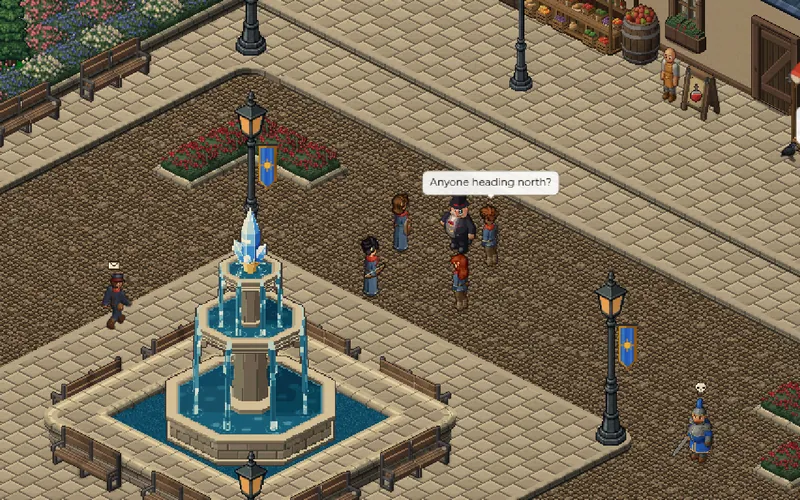
Ask somebody along
Invite somebody and, when they accept, you are a party.
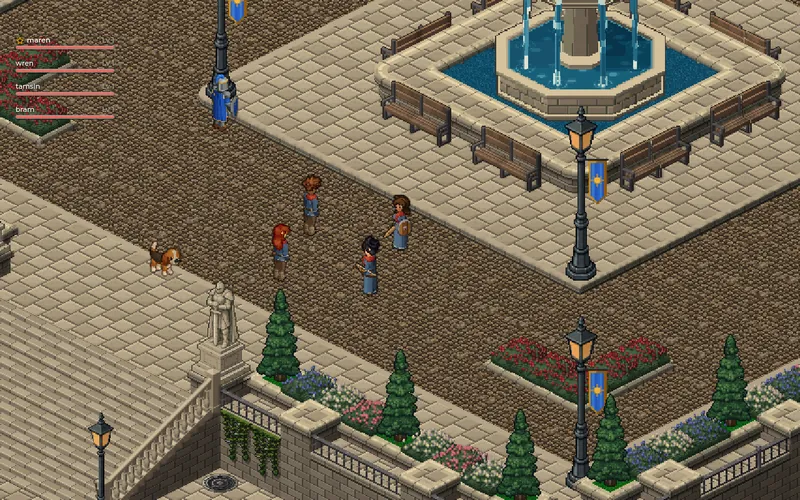
Everybody in your party has their name, level and health over their head, so you can see who is in trouble without opening a window.
Experience and gold from a kill are shared between the party, so it does not matter who lands the last blow. Items are rolled for, and a chest pays everybody.
The Groups panel has the rest: who is in the party, who leads it, and the buttons to invite or leave.
Put your name on something
A guild is a name, a crest and a chat of its own for a group that keeps playing together.
Guilds are founded in person, at the guildmaster in town. Choose a short name and a crest, and the name is yours for as long as the guild stands.
Invite people and give them a rank. Officers help run the guild, and the leader decides who holds which rank. Guild chat reaches every member wherever they are, and your guild shows on your profile for anybody who looks.
How to start one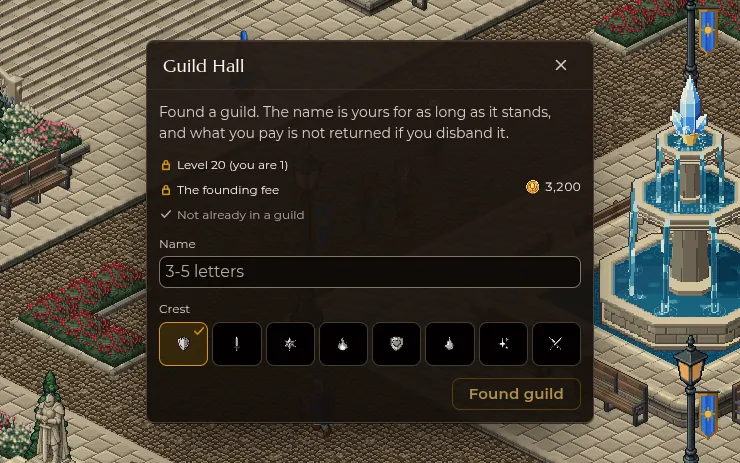
Talking, trading and writing
All of the talk in one corner of the screen, on tabs you can drag bigger.
Global
Everybody on your channel, wherever they are. Ask a question or find somebody to go with.
General
Everybody on the map you are standing on. It floats over your head for anyone nearby to read.
Party
The people you are out there with.
Guild
Everybody wearing your crest, wherever they are in the world and on any channel.
Right click a player, or hold your thumb on them, to see their profile. It shows who they are and what they have achieved, and never what they are carrying.
Trade with somebody face to face, where both of you see the whole offer and both have to agree before anything changes hands. For a friend who is offline, post a letter at the mail counter with items and gold inside, and it waits for them.
Channels
When the world gets busy, it opens another copy of itself so no street is too crowded to play in.
Each channel is a whole copy of the world with its own crowd. New channels open as more people sign in and close again when it quietens down. While only one is needed you never see any of this.
Once there is a choice, open Channels from the game menu to see them all and switch with one press. Guild chat, whispers and letters reach people on any channel. To party up or trade with somebody, join them on theirs.
You land with your people
When you sign in, the game puts you on the channel your party is on, or the one with most of your guild.
Busy, not a head count
Each channel says whether it is quiet, busy or full, and marks the ones your party and your guild are on.
Everything comes with you
Your character, your bag and your money are the same on every channel, and you arrive on the tile you left.
Finish what you started
You cannot switch in the middle of a fight, a trade or a dungeon, and there is a short wait between switches.
Saying it without typing
Emotes: everybody nearby sees the same pose, and taking a step stands you back up.


Wave across the square, sit down for a chat or start a dance and see who joins in. Each character keeps their own time, so a crowd never moves as one.
Your emotes are in the Abilities panel. Put the ones you use on your action bar, and look out for new ones to learn as you play.